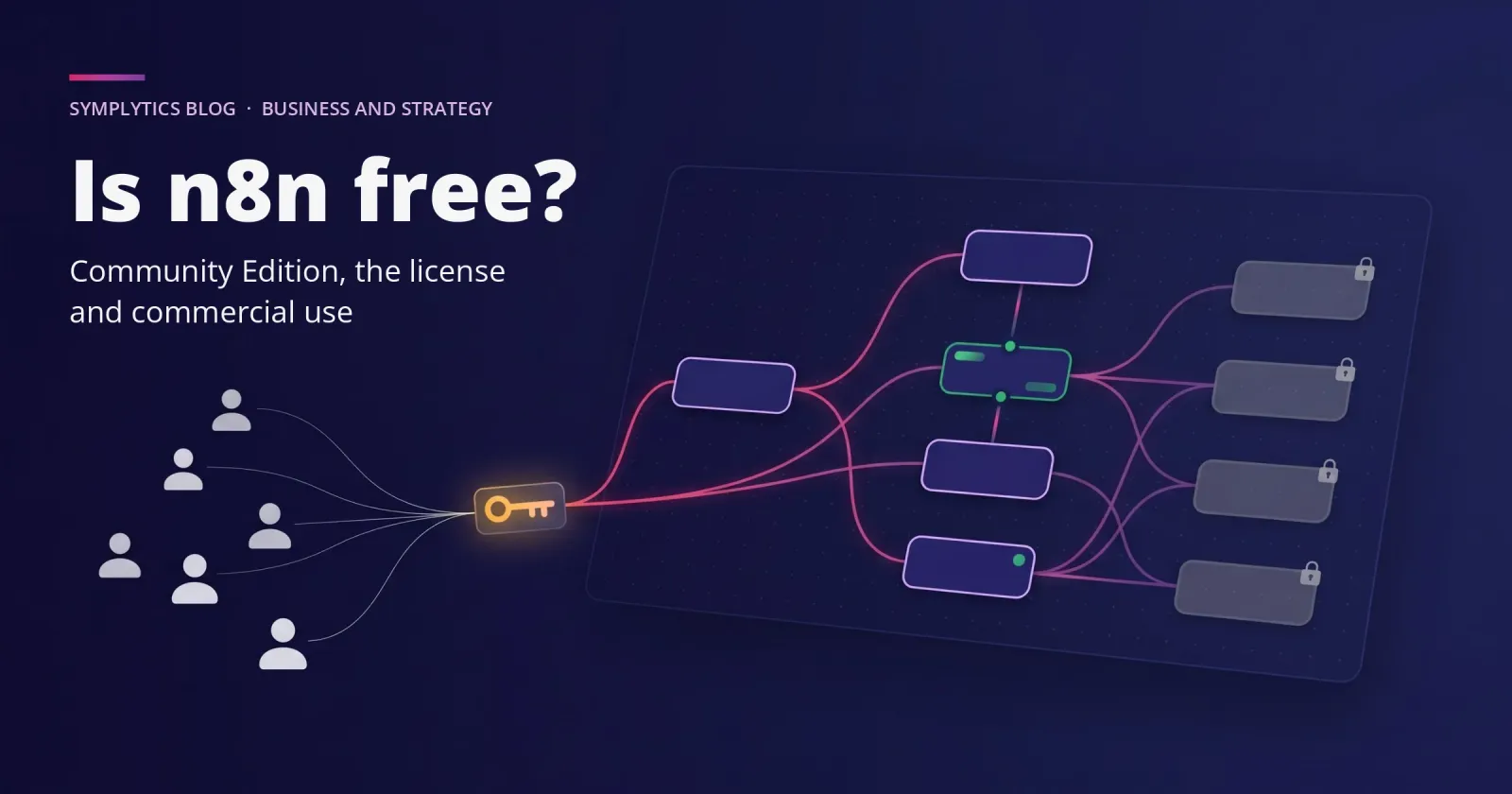
Is n8n Free? Community Edition, License and Commercial Use
n8n is free to self-host for your own business. What the Community Edition leaves out, what the license allows, and what a team ends up paying for.

On this page
More than once, we've been called into a company and found several n8n instances running side by side, each one started by a different team. Our job was to bring them back together, because they had grown out of hand.
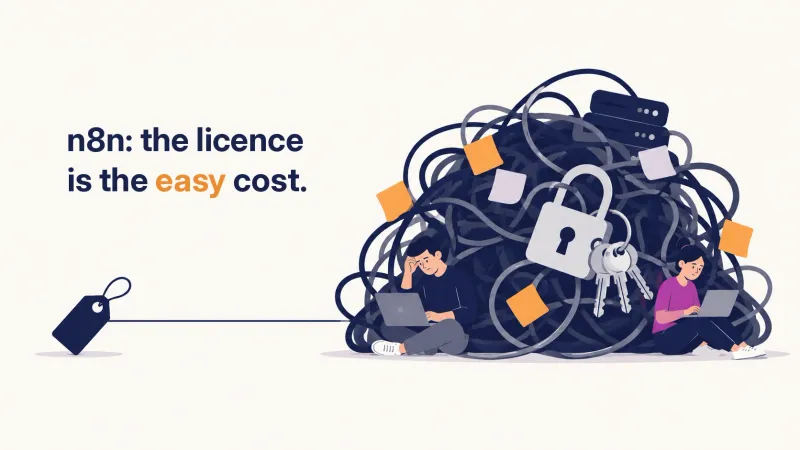
Every one of those instances was free. n8n's Community Edition costs nothing to self-host, and its license lets a company run it for its own business. What it leaves out are the features a team needs to work together: shared access, environments, Git, single sign-on. For one builder, n8n is free. For a team, the cost shows up as the engineers who keep the workarounds running.
What does the Community Edition leave out?
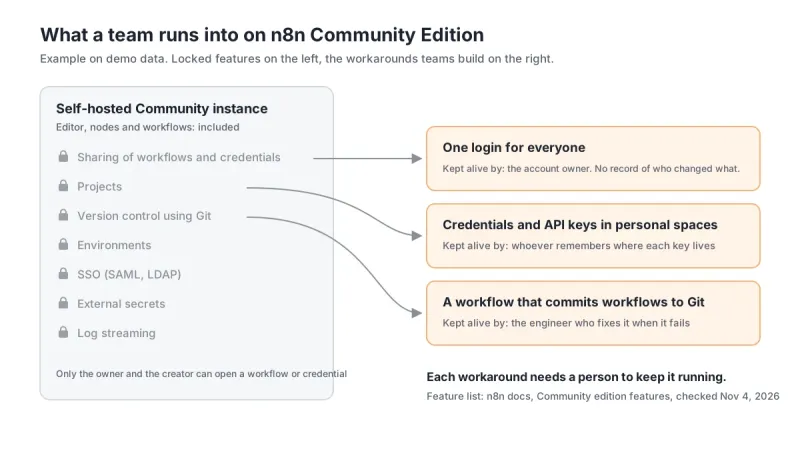
The team features. n8n's Community edition features page (checked November 4, 2026) lists what the free edition doesn't include: projects, sharing of workflows and credentials, SSO (SAML and LDAP), environments, version control using Git, external secrets, log streaming, multi-main mode and external storage for binary data. Registering the instance with an email adds a few extras at no cost, like folders and debugging in the editor.
The rest of the product is there, and one person can build a lot on it. That's on purpose: the free layer is generous because it's how n8n spreads among engineers. A user on n8n's own forum summed up the catch: "Self-hosting is free only while you stay on the Community edition" (n8n forum, "Is N8n really free after all?", July 12, 2026).
Each item on that list is something a team either pays for or rebuilds by hand.
Why does everyone end up sharing one login?
Because on the Community Edition, work belongs to the person who made it. The same docs page says that only the instance owner and the user who created a workflow or a credential can access it. In practice: if the person who built a workflow is away the day it breaks, nobody else on the team can open it.
So teams do the obvious thing. They create one account, and everyone logs in with it. Shared logins and shared credentials are the biggest pain I see in companies running Community, well ahead of anything technical. Everyone works as an individual contributor, and in a company with little governance that can hold for a while.
Meanwhile the personal spaces grow (each user's private area in n8n). Credentials and API keys end up scattered across them, copied from one workflow to the next, and it gets hard to say which key a production workflow depends on.
The instance keeps running. What's gone is any record of who changed what.
Which workarounds hold, and which one doesn't?
Most of the technical gaps have a workaround. Working together under some governance doesn't.
Version control is the usual example. On Community you can build a workflow that exports your workflows and commits them to a Git repository. I've seen teams do it, and it works. Git is rarely what pushes a company to a paid plan.
What pushes them is the first time they need a minimum of collaboration: two people working on the same workflows, or a basic rule for how a change gets to production. That's when I see companies start looking at Business or Enterprise.
Missing on Community | What teams do instead | What keeps it alive |
|---|---|---|
Sharing of workflows and credentials | One login for everyone | Whoever owns that account, and everyone being careful with each other's work |
Version control using Git | A workflow that exports workflows and commits them to a repository | An engineer who maintains that workflow and fixes it when it fails |
Projects | Credentials and API keys kept in each person's personal space | Someone who knows where each key lives (until they leave) |
None of these workarounds shows up on an invoice. Each one needs a person to keep it running. For a team, that's where the real cost of n8n sits; the license only turns the features on.
Can you use n8n commercially for free?
Yes, for your own business. The Sustainable Use License, which covers the self-hosted code, allows use "only for your own internal business purposes or for non-commercial or personal use" (n8n docs, Community license, checked November 4, 2026). Automating your own finance, sales or operations counts as internal business, even though it's commercial work. The license adds two more limits: you can distribute n8n only free of charge and for non-commercial purposes, and you can't remove n8n's licensing or copyright notices.
The License FAQ (checked November 4, 2026) draws the line around who builds the workflows. If only you and people in your organization create or change them, Community is free. Your users can trigger workflows you built, and even connect their own accounts to them, as long as they can't build or edit the logic.
Allowed on Community | Needs a commercial agreement with n8n |
|---|---|
Running your own company's automations | Hosting n8n as a service where clients build workflows |
Building workflows for clients, as long as they can't create or edit them | Letting end users build or configure workflows through your product, whether by custom UI, API, MCP or an AI agent |
Charging clients for building, setup, maintenance, training and consulting | Forking n8n to launch your own automation product |
Using n8n behind the scenes in your product, where users trigger workflows you built | White-labeling n8n |
Running several Community instances | Using enterprise features that ask for a license key |
(That consulting line is what lets firms like ours charge for building on n8n without a separate agreement.)
If your plan puts n8n inside a product you sell, write to license@n8n.io before you build. The FAQ itself marks a customer-hosted setup as unclear and asks vendors to confirm the architecture first.
Is n8n open source?
Not by the Open Source Initiative's definition, and n8n says so itself. The Community license page explains that OSI licenses can't restrict use, so n8n calls its model fair-code: the source is available, anyone can run and extend it, and the authors restrict commercial use.
There's a second license inside the repository too. Source files with .ee. in their name fall under the n8n Enterprise License, which is why the code you download contains features that still ask for a key.
If your company has a policy against code that restricts commercial use, the same page answers it: internal use should be fine, as long as you don't open n8n to your customers to connect their accounts and build workflows.
How do you decide which license your team needs?
Map the team first. The license comes last.
When we assess this with a company, we go in this order:
Who builds: how many people, in which teams, and who owns which workflows.
What they're going to build, and which of it the business depends on.
How a change gets to production today, if there's a rule at all.
How they want to run it: on their own servers, or handed to someone else on n8n Cloud.
Which enterprise features they need, one by one: SSO, environments, Git, external secrets, log streaming.
The first four answers decide the fifth. One builder with a handful of internal automations can stay on Community for a long time. Two teams sharing production workflows can't, and a team that wants production monitoring or doesn't want to run the server usually ends up paying sooner. For what each plan costs, see n8n's pricing page.
You may be thinking that buying Enterprise fixes all of this. It turns on projects, custom roles and environments; someone still has to decide who works in which project and how a change gets promoted. Microsoft says the same about its own automation platform in the Power Platform Center of Excellence guide (updated August 29, 2026): "Tools are a means to an end."
What to do next
If you're running one Community instance, or several, and wondering whether it's time to pay, start with the team map above. We're an official n8n Expert Partner based in Toronto, and that map is the first step of our evaluation and proof of concept: we test on your own processes and give you a go or no-go, with the hosting and license advice. If you'd rather talk it through first, a free intro call is the easiest place to start.
Questions
Is n8n Cloud free? No. The License FAQ says the Community license applies to self-hosted n8n only, and n8n Cloud is a paid subscription with its own terms. Check n8n's pricing page for current plans and trials.
Can we run several Community instances? Yes, the License FAQ allows it. In the companies where we've seen it, the instances drifted apart, and bringing them back together later took real work.
Do we need a license to build workflows for our clients? Not as long as clients get the results and can't build or edit workflows. The License FAQ explicitly allows charging for building, setup and maintenance.